
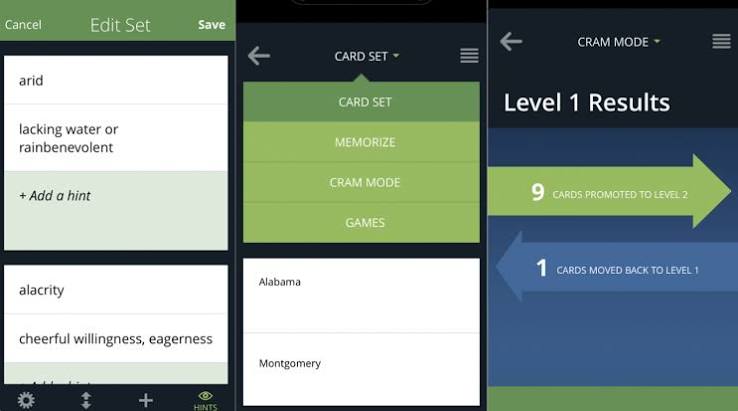
Best Flashcard Apps in 2026, Ranked: Why the Most Popular One Landed Sixth
I wanted to find the best flashcard apps for remembering things months later, not for surviving Thursday's quiz. Most "best flashcard apps" lists rank by popularity, feature count, or whoever pays the affiliate commission. None of that tells you whether the thing you studied will still be in your head next quarter. So I ranked seven options on the one criterion that matters, and the most popular name on the internet didn't make the top five.
How I ranked them
I'm a software engineer with ten years of shipping code, and I run Edirae, so I look at study tools with an unfair amount of suspicion. Right now I'm using flashcards for two Side Quest Series projects: Mandarin vocabulary and the core definitions behind quantum computing, things like what a qubit actually is and why a Hadamard gate does what it does. Those two subjects are a good stress test. One is thousands of small facts. The other is a handful of ideas that all depend on each other.
I judged each option on five things:
- How good the review scheduling is. Does it decide when you see a card based on how well you actually remember it, or does it just shuffle?
- How fast you can make cards. If making cards is painful, you stop making them, and the whole system dies.
- Whether it works across devices. A phone-only habit and a laptop-only habit both fail eventually.
- How much friction there is on a bad day. Can you clear your reviews in ten minutes while tired?
- How honest the pricing and limits are. I'm not quoting prices here because they change, but I checked whether each tool has a free way in. One disclosure and one caveat up front. The disclosure: I built Edirae, and it's on this list. I held it out of first place on purpose, and I've tried to be as straight about its limits as I am about everyone else's. The caveat: This is a ranking based on my use, my two subjects, and the published research on how memory works. It isn't a lab study. The research part is solid. The "how it felt for me" part is one person's experience, so treat it that way.
Quick answer: the ranking
| Rank | Tool | Best for |
|---|---|---|
| 1 | Anki (with FSRS) | Long-term retention, serious learners |
| 2 | Edirae | People who quit at the card-making step |
| 3 | RemNote | People who take notes first and study second |
| 4 | Mochi | Clean, fast, markdown-based decks |
| 5 | Brainscape | Short-term test prep with minimal setup |
| 6 | Quizlet | Quick shared decks and group study |
| 7 | Paper cards (Leitner box) | Building the habit with zero tech |
The order isn't a countdown for fun. It reflects a real tradeoff. The higher a tool sits, the better it is at making sure you remember, and the more work it asks of you up front.
Why scheduling decides everything
Before the ranking itself, the reason it comes out this way.
In 1885 Hermann Ebbinghaus showed that memory fades fast after you learn something and that review slows the fade. Decades of work since then keep landing on the same two findings. Roediger and Karpicke's 2006 study found that testing yourself on material beats re-reading it for remembering a week later, even though re-reading feels easier. And Cepeda and colleagues' 2006 review of distributed practice showed that spreading study sessions out across time beats cramming them together, especially if you want to remember for a long time.
Dunlosky and colleagues' 2013 review of ten common study techniques rated both practice testing and distributed practice as high utility. Highlighting and re-reading landed at the bottom.
A flashcard app is just a machine for doing those two things: testing you, and spacing the tests. So the question for every tool on this list is simple. How well does it do the spacing, and how little does it get in your way while doing it?
1. Anki (with FSRS): the best flashcard app for long-term memory
Verdict: Still the one to beat. If your goal is to remember things for months and years, Anki with its newer scheduler is the best option I used, and it isn't close.
Why it wins: Anki's scheduling was long based on the SM-2 algorithm, and version 23.10 added FSRS, the Free Spaced Repetition Scheduler, as an optional alternative. Instead of applying one fixed rule to every card, FSRS models how well you remember each card and schedules the next review accordingly. In practice that meant fewer pointless reviews of things I already knew cold, and more attention on the ones I kept losing, like a handful of Mandarin tone pairs that wouldn't stay put.
Anki is also open source, has well over a thousand add-ons, and runs on desktop, Android through AnkiDroid (free), and iPhone through AnkiMobile (a paid app). Sync goes through AnkiWeb, which is free.
Who it's best for: Anyone who wants maximum retention per minute spent and is willing to learn a tool. Medical students, language learners, certification candidates, and engineers who like configurable things.
The real limitation: The learning curve is real. The interface looks like it was designed by someone who loves functionality and doesn't care about first impressions, and card creation is manual unless you set up add-ons or other tools. The iPhone app costs money while the Android app doesn't, which surprises people. I lost an evening in my first week to settings I didn't understand. Most people who quit Anki quit in that first week.
If you want the longer version of why the scheduling works, I covered it in the complete guide to spaced repetition.
2. Edirae: the best flashcard app when card-making is the bottleneck
Verdict: Weigh this entry with the disclosure above in mind. I ranked it second, not first, because Anki still beats it on scheduling depth and flexibility. Edirae earns its spot by going after the step where most people quit: making the cards.
Why it ranks second: You bring the source material and Edirae turns it into cards, then handles the spaced repetition for you. For my Mandarin and quantum computing material, that moved my effort from typing every card to reviewing and editing them, which is a much easier thing to keep doing on a tired day. Since the habit is what decides whether any of this works, removing that friction matters more than it sounds.
Who it's best for: Anyone with a lot of material to learn who keeps failing to turn it into cards. Professionals studying for certifications, and learners who have more source material than patience.
The real limitation: It's a much younger product than Anki, with a smaller community and none of Anki's years of shared decks and tinkering. Generated cards also still need your eye. Auto-made cards can come out too broad or test trivia, so you should read and edit them, not trust them blindly. There's a 3-day free Pro trial if you want to judge it for yourself.
3. RemNote: the best flashcard app if you start from notes
Verdict: The best option if your problem isn't reviewing cards but making them. RemNote treats your notes as the source of your cards, so you write once and study from the same material.
Why it ranks third: It combines a note-taking tool with built-in spaced repetition. For the quantum computing side of my learning, where ideas build on each other, writing connected notes first and then turning key lines into cards felt natural. I wasn't switching between a notes app and a cards app. The context stayed attached to the card.
Who it's best for: Students and professionals who already take structured notes and don't want a second system. Anyone who understands things better when they can see how ideas connect.
The real limitation: It's a bigger tool than a flashcard app, so it has more going on. If all you want is a deck of vocabulary cards, it's more than you need. And the further your notes drift from clean, testable statements, the more you end up with cards that test nothing. Notes aren't automatically good cards.
4. Mochi: the best flashcard app for people who hate clutter
Verdict: Clean, quick and pleasant to use. It uses markdown for cards and keeps spaced repetition built in, which suits anyone who spends their day in text editors and terminals.
Why it ranks fourth: My engineering brain loved it. Making a card felt like writing a line of code: fast, plain text, no fiddling. I made more cards in my first week with Mochi than I did in my first two weeks with other tools, and that matters more than any feature on a comparison chart. The tool you'll use beats the tool that's theoretically better.
Who it's best for: Developers, writers, and anyone who thinks in markdown and wants a minimal setup.
The real limitation: It's lighter than Anki on the things power users end up wanting, like the depth of scheduling controls and the huge library of add-ons. If you outgrow it, moving a large deck elsewhere takes effort. For a smaller, focused set of material, it's lovely. For a medical-school-sized pile of cards, I'd go back to Anki.
5. Brainscape: the best flashcard app for quick test prep
Verdict: A solid pick if you've got an exam coming and want to start studying in five minutes, not fifty.
Why it ranks fifth: Brainscape's approach is to have you rate how well you knew each card, and it uses those ratings to decide how often the card comes back. That's the right idea, and it works. It also has ready-made decks for many common subjects, which cuts the setup time to almost nothing.
Who it's best for: Students prepping for a specific test over a few weeks who don't want to build decks from scratch.
The real limitation: You trade control for convenience. When I wanted to shape how cards behaved or build exactly the cards for my own material, I ran into walls that Anki doesn't have. Pre-made decks are also a mixed bag, because you're trusting someone else's cards to be accurate and well written. And cards you didn't write are cards you tend to remember less, because the effort of writing them is part of the learning.
6. Quizlet: the most popular flashcard app, and why it ranks sixth
Verdict: Great for what it was built for. Not the best choice if you want to remember things for a long time.
Why it ranks sixth: Quizlet has an enormous library of shared decks, and it's easy to use, which is why so many students start there. For a quick quiz the night before, or for studying together with classmates, it's genuinely good. I'm not knocking it for being popular. I'm ranking it for retention.
The issue is that Quizlet's strength is access and convenience, not memory science. Its spaced repetition is lighter than the dedicated tools above, so it works better as a review aid than as a system for remembering things months later. If you're cramming for next week, that's fine. If you want the material to stick, it's the weaker bet.
Who it's best for: Short-term quizzes, group study, and anyone who wants to borrow a deck someone else already made.
The real limitation: Borrowed decks and shallow scheduling. You can fix the first by making your own cards. The second is harder to fix inside the app.
7. Paper cards and a Leitner box: the best flashcard setup with no app at all
Verdict: The lowest-tech option on the list, and it ranks last only because it doesn't scale. As a way to build the habit, it's better than half the apps above.
How it works: You write cards by hand and keep them in a few boxes. Cards you get right move to a box you review less often. Cards you miss go back to the first box. It's a manual version of the same spacing idea, and the physical act of writing the card does real work for your memory.
Who it's best for: Beginners who keep failing to stick with apps, small decks (a hundred cards or fewer), and anyone who wants a screen-free study habit.
The real limitation: Beyond a few hundred cards it turns into a chore. You do the scheduling yourself, you can't take it everywhere, and you can't search it. For anything big, move to a real tool.
What the ranking tells you
Look at the pattern. The top four are tools where the cards come from your own material and the scheduler adapts to how you do. The bottom three lean on convenience, shared content, or simplicity. That isn't an accident. It's the same finding the research keeps producing. Effort at the point of making the card, and honest testing at the point of reviewing it, are what produce memory. Convenience mostly produces the feeling of studying.
A few things I'd tell anyone starting out, based on how my own setup went wrong before it went right:
- Make your own cards, or at least edit them. Cards written or reworked in your own words from material you understand beat borrowed ones.
- Keep each card to one idea. Cards with three facts on them are the ones you'll fail repeatedly and learn nothing from.
- Cap your new cards. Adding too many a day builds a mountain of reviews you'll hate in a week. A small, steady number beats a heroic first weekend.
- Test understanding, not just recall. For the quantum material I added cards that asked me to explain why something works, not only what it's called.
- Do your reviews every day. The scheduler only works if you show up. Ten tired minutes beats a skipped day. If you want a way to test whether you actually understand a concept before you turn it into a card, the Feynman technique is the check I use.
FAQ
What is the best flashcard app for long-term memory?
For remembering things months or years later, Anki with the FSRS scheduler was the best I used. It adapts review timing to how well you remember each card, it's configurable, and it's open source. The trade-off is a steeper learning curve than most alternatives.
Is Anki still the best flashcard app in 2026?
For retention, I think yes. Newer tools have made card creation easier, and some have nicer interfaces, but Anki's scheduling, add-on library and flexibility are still hard to match. If you value ease of use over maximum memory per minute, an alternative like RemNote or Mochi may suit you better.
Is Anki free?
The desktop version and the Android app (AnkiDroid) are free. The iPhone and iPad app, AnkiMobile, is a paid app. Sync through AnkiWeb is free. Check the current App Store listing before you buy, since pricing can change.
What is the best free alternative to Anki?
It depends on what you want to be free from. If you want a gentler interface, Mochi and RemNote are the options I'd try first, and several tools in this category offer free ways in. Check each one's current plan, because free limits change. If you want zero cost and zero tech, a paper Leitner box works.
Is Quizlet good for long-term memory?
It's good for quick review, borrowed decks and group study. Its spaced repetition is lighter than dedicated tools, so it's a weaker choice if your goal is to remember material for months. Writing your own cards inside it helps.
How many new flashcards should I add per day?
There's no single right number, but smaller is safer. Many experienced users stay in the range of roughly 10 to 20 new cards a day, because every new card creates reviews for weeks afterward. Start low, see how many reviews you have after a week, and adjust.
Are AI-generated flashcards worth it?
They can save a lot of time on card creation, which is the step where most people quit. The risk is cards that are too long, too shallow, or slightly wrong. Read and edit anything an AI makes before you trust it, and delete cards that test trivia instead of ideas. Writing at least some cards yourself keeps you engaged with the material. That goes for Edirae, which generates cards from source material, as much as for any other tool.
Are paper flashcards better than apps?
Paper is better for building the habit and for small decks, and writing by hand does help memory. Apps win once you have hundreds of cards, because they handle the scheduling for you, sync across devices and don't get lost in a bag.
The retention layer
The thing that makes any of this compound is that review happens every day, no matter which tool you pick. If you want to try the retention layer I use, Edirae has a 3-day free Pro trial at edirae.com. Anki works just as well. Pick whichever you'll actually open tomorrow.
Related reading
- The 10 Most Useful Learning Apps in 2026
- The Complete Guide to Spaced Repetition
- Best Learning Apps for Memory Retention